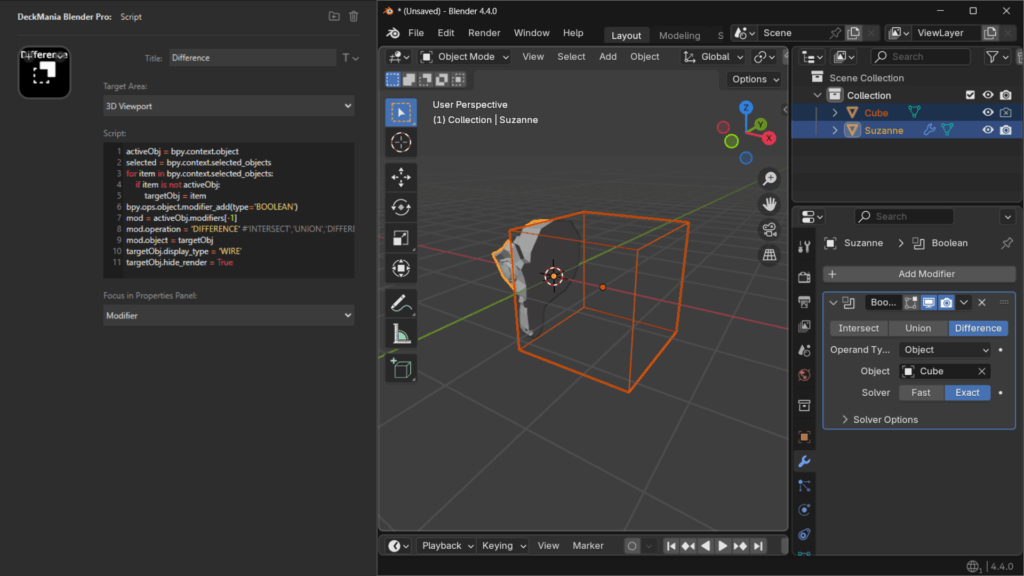
SCRIPT
Run your Blender Python (BPY) scripts with just one click.
You can write your own scripts in the built-in code editor, choose where they run (context), and even set the focus—like jumping straight to the Modifiers tab when your script tweaks modifiers.
It’s quick, flexible, and way more fun than digging through menus.
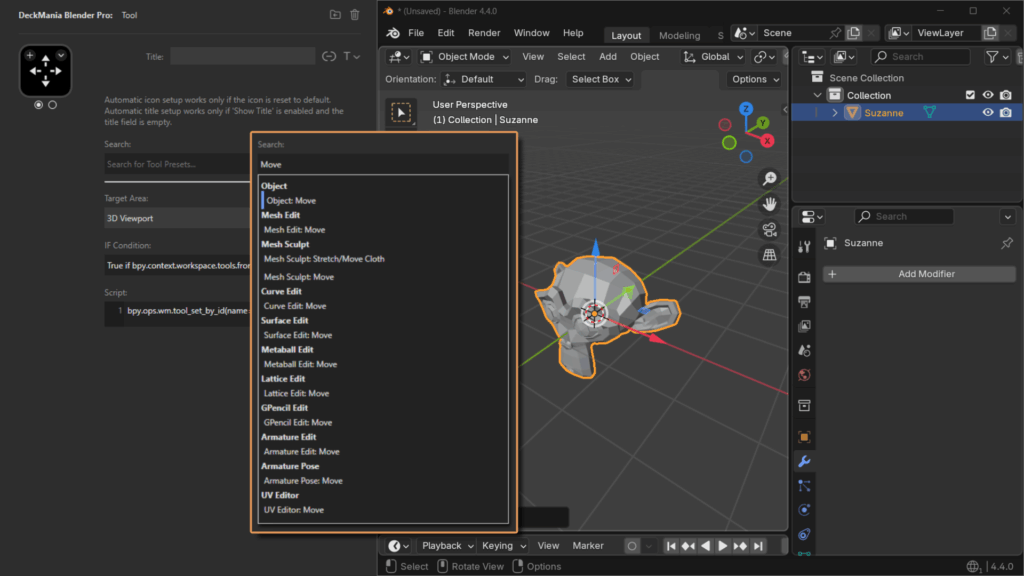
TOOL
Add your favorite tools and instantly see which one is active — the button changes color.
Setup is super simple: just search by keyword, pick a tool from the list, and everything’s auto-filled — icon, necessary code, the works.
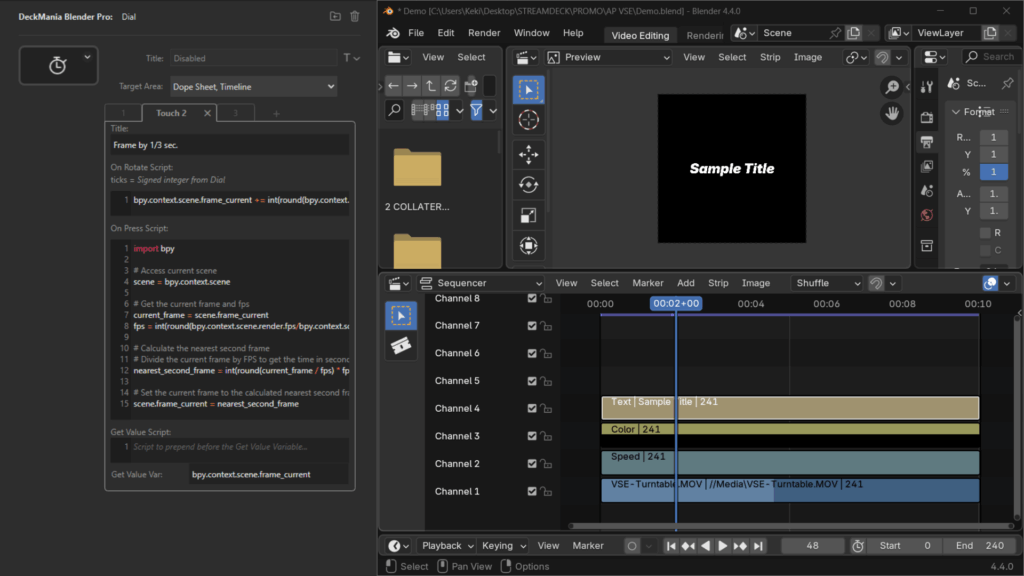
DIAL
Adjust values using dials (available on Stream Deck Plus).
Tap the touchbar to switch modes on a single dial, and display any property value right on the touchbar.
Use the built-in code editor to customize what happens when you rotate or press the dial — it’s quick to set up and super flexible.
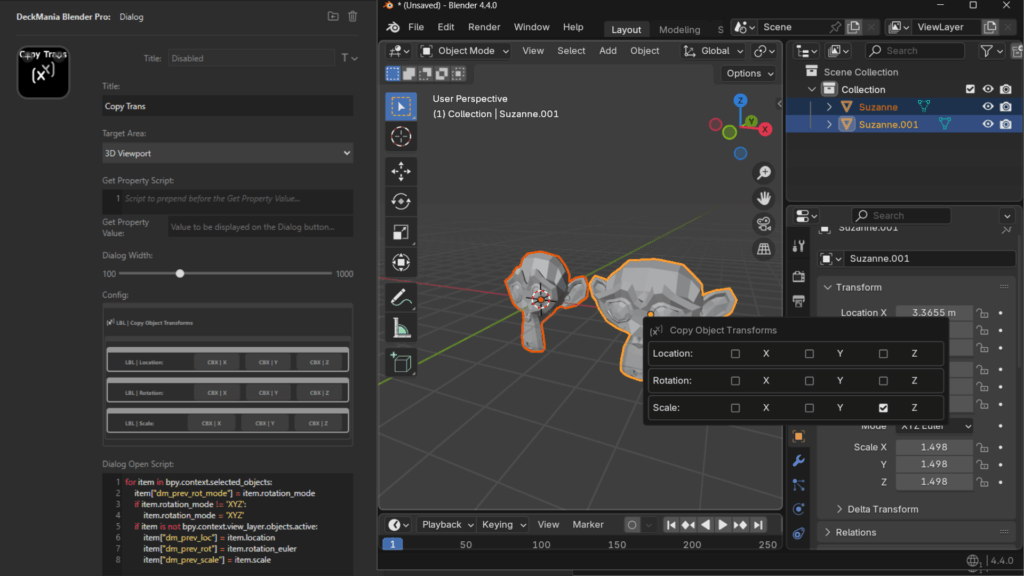
DIALOG [Pro]
Create custom dialogs. Show property values directly on the button.
Design your own pop-ups in Blender — with buttons, radio buttons, checkboxes, even native properties.
It’s easy to set up and a great way to organize your Blender options and commands for one-click access.
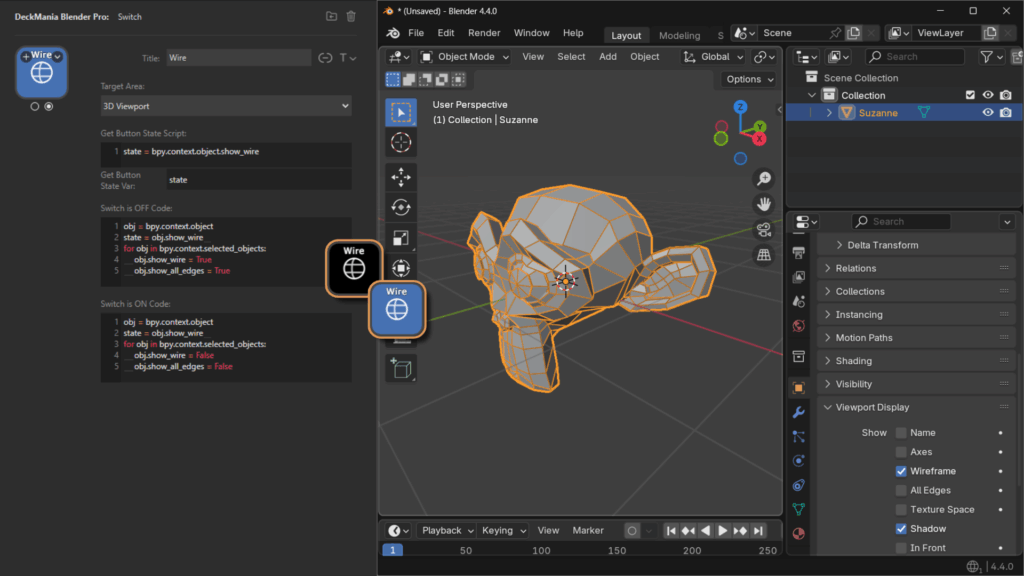
SWITCH [Pro]
Click to toggle settings on or off. The button updates visually when active.
It stays in sync with your Blender property, so you always know what’s active.
Just add the code for the ON and OFF states — easy and powerful.
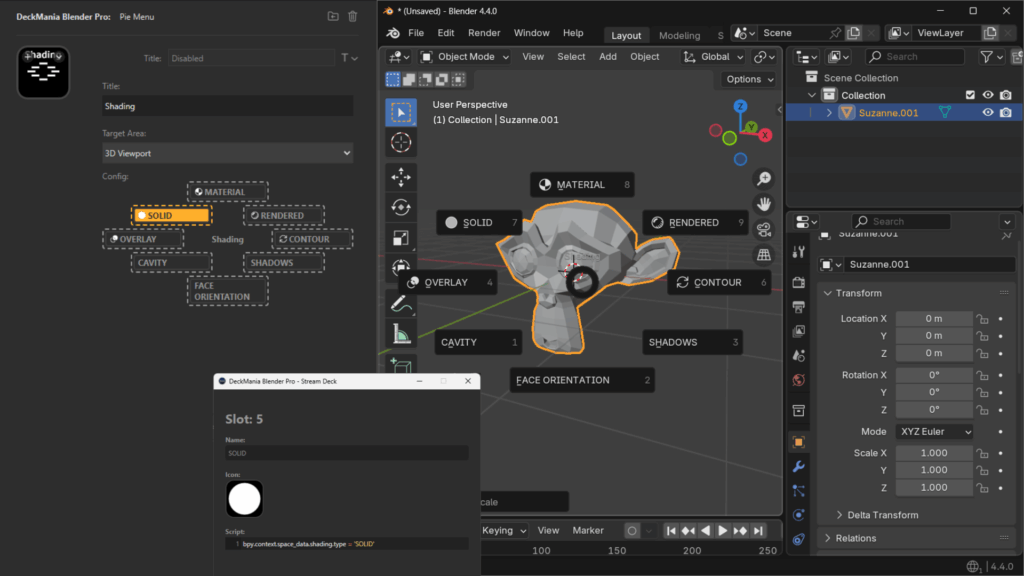
PIE MENU [Pro]
Build your own pie menus.
Trigger actions easily with a quick mouse swipe. Super easy to set up: drop in your commands across 8 available slots and go.
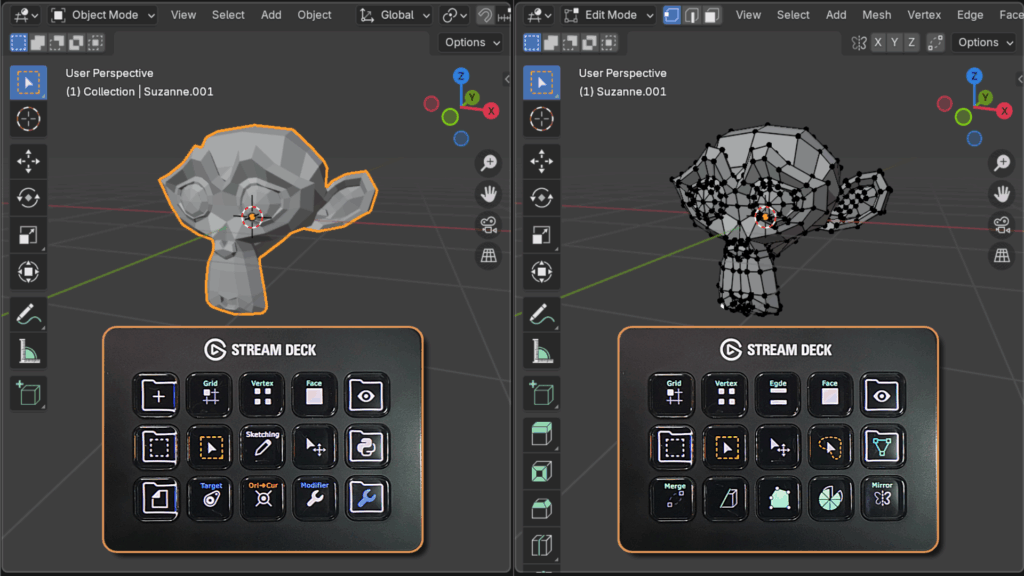
AUTOMATIC PAGE SWITCHING
It automatically switches the profile page on your Stream Deck based on your current object mode or workspace in Blender.
It comes with predefined profiles, but if the predefined profiles don’t quite fit your style, it’s super easy to customize them to match your needs.